Recover Gmail Account – Gmail Account Recovery Methods
Losing access to your Gmail can feel stressful. Your emails, files, photos, and contacts may all be connected to that one account. The good news is that gmail account recovery is usually simple if you follow the right steps.
Google has built several tools that help you get back into your account quickly. Even if you forgot your password or someone else accessed your account, there are safe ways to recover Gmail account access.
Let’s walk through the most reliable methods you can use.
Start With the Gmail Account Recovery Page
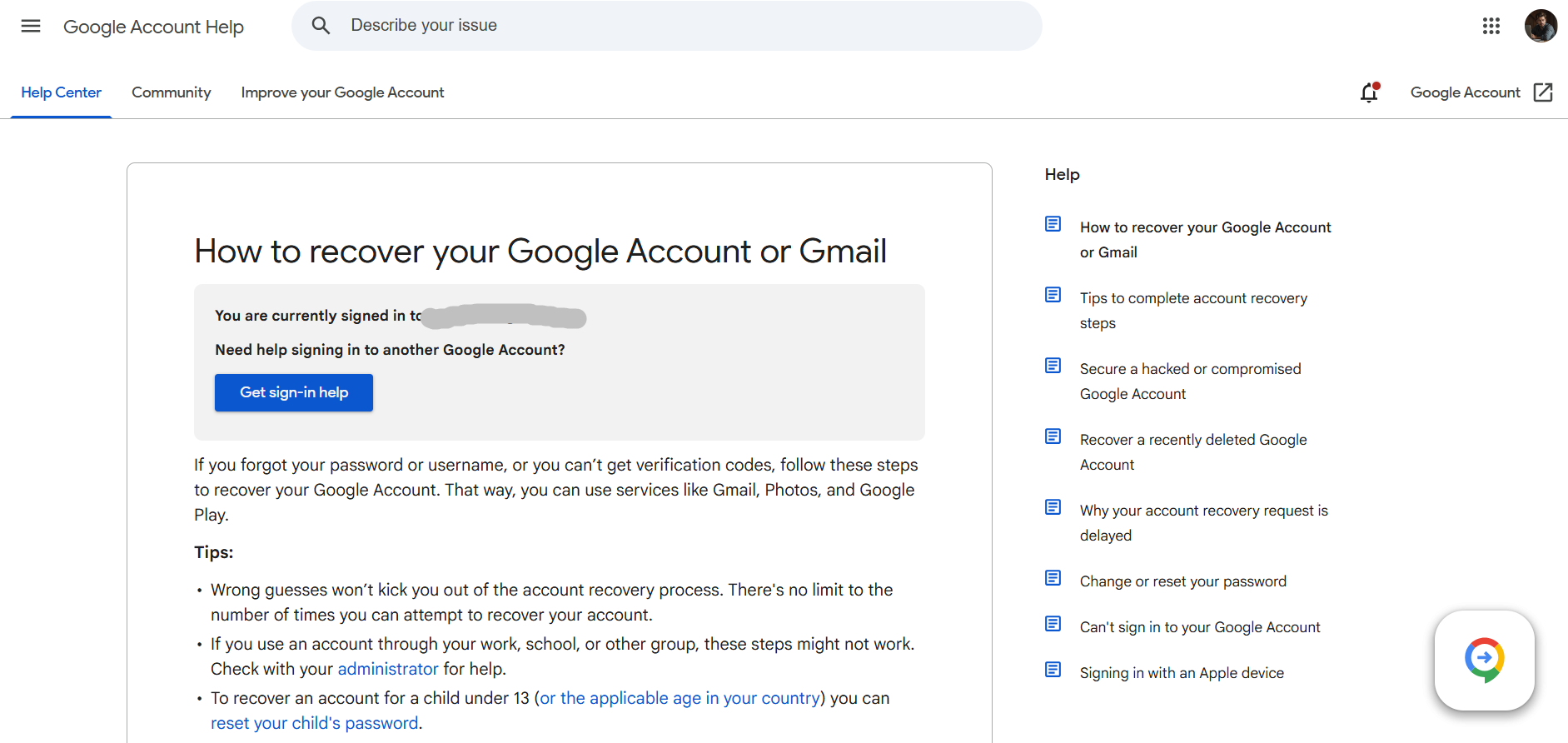
The easiest way to begin google account recovery is by visiting the official recovery page. When you open the recovery tool, Google will guide you step-by-step.
You simply enter your email address and follow the prompts.
You can start the process by going to https //g.co/recover for help and entering your Gmail address.
Here you’ll be asked questions to confirm that the account belongs to you. These questions may include:
Your last remembered password
A recovery phone number
A backup email address
A verification code sent to your device
If the information matches Google’s records, you’ll be allowed to reset your password and regain access.
How to Recover Gmail Account if You Forgot the Password
For many people, the most common problem is simply forgetting their password.
Here’s how to recover gmail account access in that situation:
Go to the Gmail sign-in page.
Enter your email address.
Click Forgot Password.
Enter the last password you remember.
Follow the verification steps Google provides.
Google may send a code to your phone or recovery email. Once you enter the code, you can create a new password and sign in again.
Try to answer every question carefully. The more accurate information you provide, the easier the recovery process becomes.
Recover Gmail Account Using Your Recovery Email
When you created your account, Google likely asked you to add a recovery email. This secondary email helps verify your identity if you lose access.
During gmail account recovery, Google may send a verification link or code to that recovery address.
To use this option:
Choose the Send code to recovery email option
Open the backup email account
Enter the code you received
Create a new password
This method is one of the fastest ways to recover gmail account access.
Use Your Phone Number for Google Account Recovery
Another common method is verifying your identity using a recovery phone number.
If you added your phone number to your Google account, Google can send a text message with a verification code.
Steps usually look like this:
Choose Send code to phone during recovery.
Check your phone for the text message.
Enter the verification code.
Set a new password.
Once the code is confirmed, your google account recovery process is complete.
Recover Gmail Account Without Phone or Email
Sometimes you may not have access to your recovery phone or email anymore. Don’t worry, still offers other ways to verify you.
You might be asked to:
Confirm the device you usually use to sign in
Verify your location
Answer security questions
Confirm when the account was created
These questions help Google confirm that you are the real owner of the account.
When trying to recover gmail account access this way, it’s best to use:
The same computer you usually use
The same internet connection or location
A device previously used for Gmail
This increases your chances of successful gmail account recovery.
If Your Gmail Account Was Hacked
If someone else accessed your account, act quickly.
Start the google account recovery process immediately using https //g.co/recover for help.
After you regain access:
Change your password immediately
Review your security settings
Check recovery email and phone numbers
Enable two-step verification
This helps protect your account from future attacks.
Tips to Make Gmail Account Recovery Easier
A few simple habits can make future gmail account recovery much easier.
Make sure you:
Add a recovery phone number
Add a backup email address
Use a strong password
Turn on two-step verification
Keep your account security information updated
These small steps can save you a lot of trouble if you ever need to recover gmail account access again.
When Gmail Recovery Doesn’t Work
If the recovery process fails, it usually means Google could not verify enough information.
In that case, try again later and answer the questions as accurately as possible. Using the same device and location you normally use can help.
You can always restart the google account recovery process through https //g.co/recover for help and follow the instructions again.
P.S. You can generate alternative Gmail email addresses using Gmail’s dot trick for free. Enter your existing Gmail address, and our free tool will instantly create multiple variations by rearranging the dots. Use our free Gmail Generator here.




















